

01
Every climb has a real cost
Tower work carries risk and crew time. Remote evidence should narrow the question before anyone goes back.
Drone programs produce more imagery, models, and site context than review teams can absorb. The bottleneck is turning mixed capture into defensible findings and report-ready proof.
Tower work carries risk and crew time. Remote evidence should narrow the question before anyone goes back.
RGB, thermal, panorama, orthophoto, and point clouds overwhelm reviewers when they sit in separate folders.
Stakeholders ask which photo backs which finding. Reviewers should not rebuild that trail by hand.
Switch between inspection, orthophoto, point cloud, and report views — same mission, same evidence, no tool-switching.
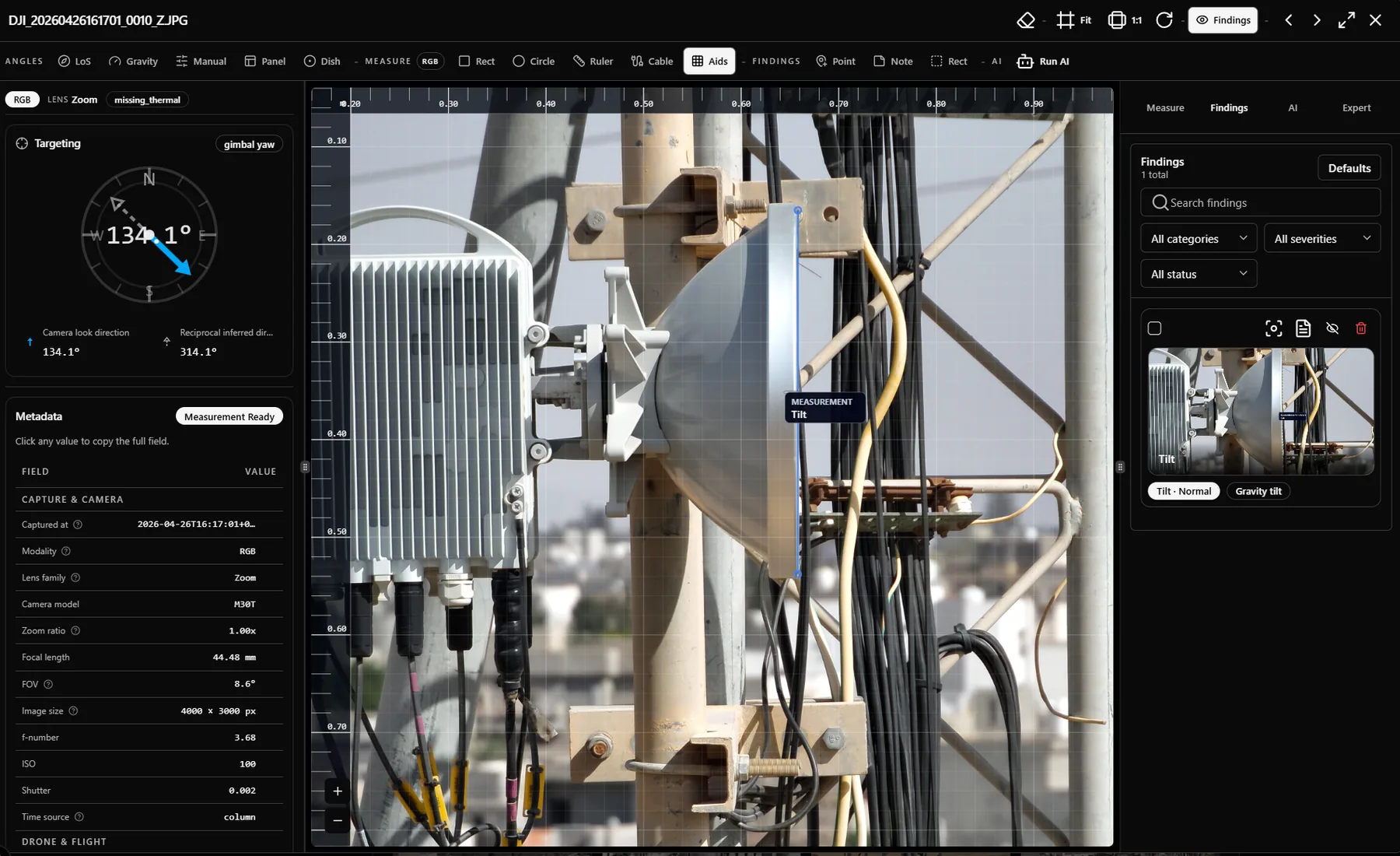
RGB and thermal evidence side-by-side. Measure tilt, distance, and pointing where the evidence lives. Promote findings without leaving the frame.
A single visit to a tower can produce six distinct evidence types. The review path stays whole.
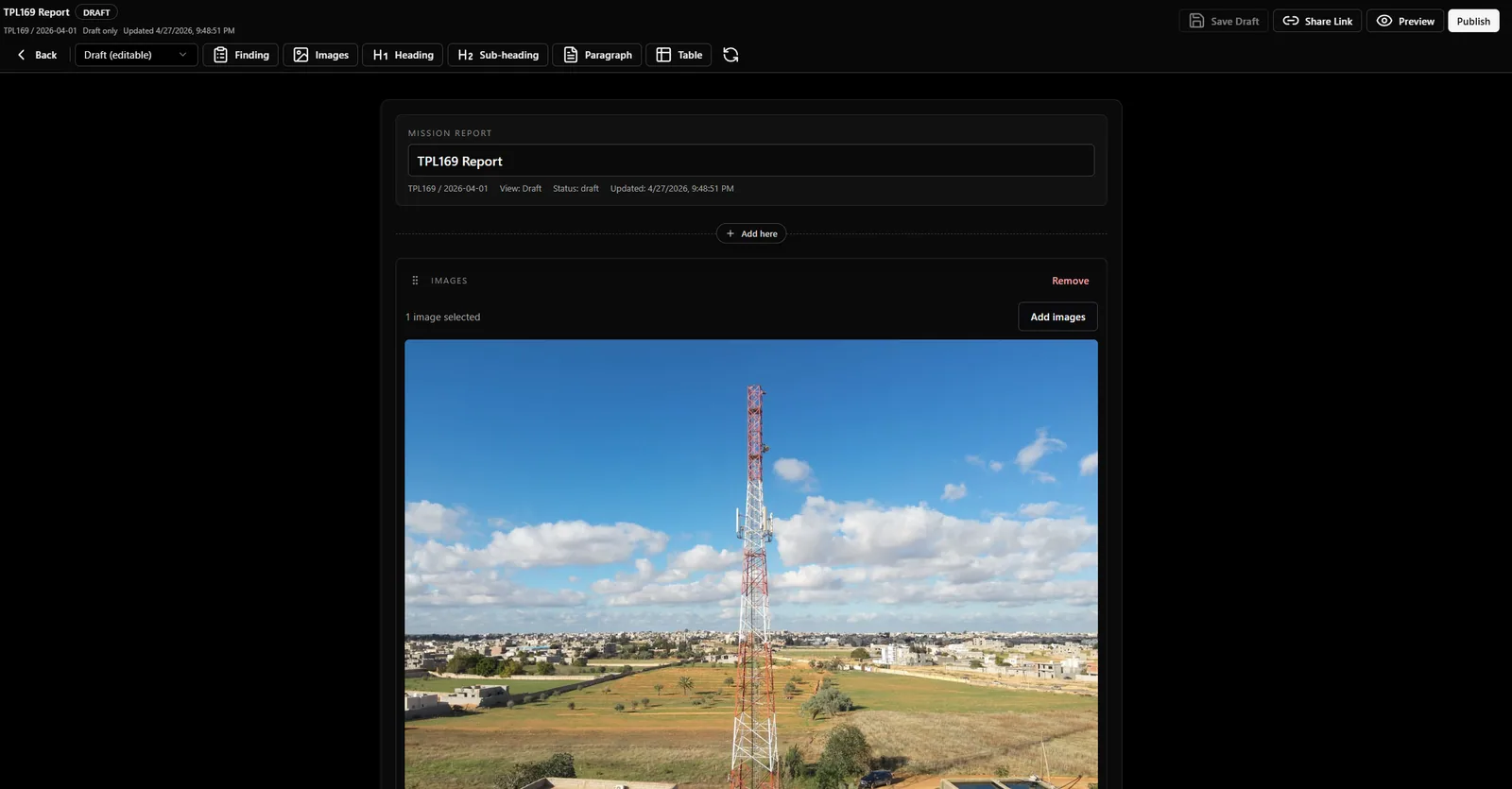
The demo shows where closeout friction disappears: fewer duplicate uploads, fewer rebuilds, and less ambiguity about which evidence supports each finding.
Images and findings flow from mission records, not separate folders.
Draft, preview, publish, and share states keep delivery controlled.
Final reports stay tied to the mission context that produced them.
Hands-on roadmap input, workflow-led onboarding, and outcome tracking before any contract conversation. We pick the metrics; we show movement.
Apply to be a partnerSit with the team while we shape the inspection, findings, and reporting model around your operating pattern.
We import your asset list, configure your findings taxonomy, and walk through one mission end-to-end with your reviewers.
We pick the metrics that matter — return-to-site rate, report turnaround, reviewer minutes — and show movement before contract talk.
No instant sign-up. Demo requests are reviewed so we can confirm fit and prepare a session shaped around your inspection workflow.
If the use case is a fit, we follow up to schedule a workflow-led demo.
The demo request is meant to qualify the workflow, not slow you down. These are the questions teams usually ask before sharing details.
Not yet. InSite is being rolled out through qualified demos so we can confirm fit, understand your inspection workflow, and prepare the right review session before access is granted.
The strongest fit is a team already running drone or field inspection programs across multiple towers, sites, or assets, with RGB, thermal, orthophoto, panorama, or point-cloud evidence that needs structured review and reporting.
A short description of your inspection workflow is enough to start: approximate site count, capture types, current review bottleneck, reporting expectations, and who needs to consume the final output.
No. InSite sits after capture. It gives teams a review surface, finding model, evidence chain, and report path for the data they already collect.
Findings stay connected to the supporting image, modality, geometry, and mission context. The goal is fewer manual rebuilds when stakeholders ask which evidence supports which decision.
Yes, but we usually anchor the session around one priority workflow first, such as inspection review, RGB plus thermal findings, orthophoto or point-cloud review, client-ready reporting, or portfolio visibility.
InSite is multi-tenant by default, with tenant-aware access patterns for operators, reviewers, admins, and platform teams. The demo can focus on your operating model.
We review the use case, confirm whether the current product is a fit, and follow up to schedule a workflow-led session. If the fit is not right yet, we say so clearly.
The public archive explains the product, the operating model, and the engineering context behind each review surface.
RGB and thermal review, pair reconciliation, measurements, findings, AI triage, and expert controls.
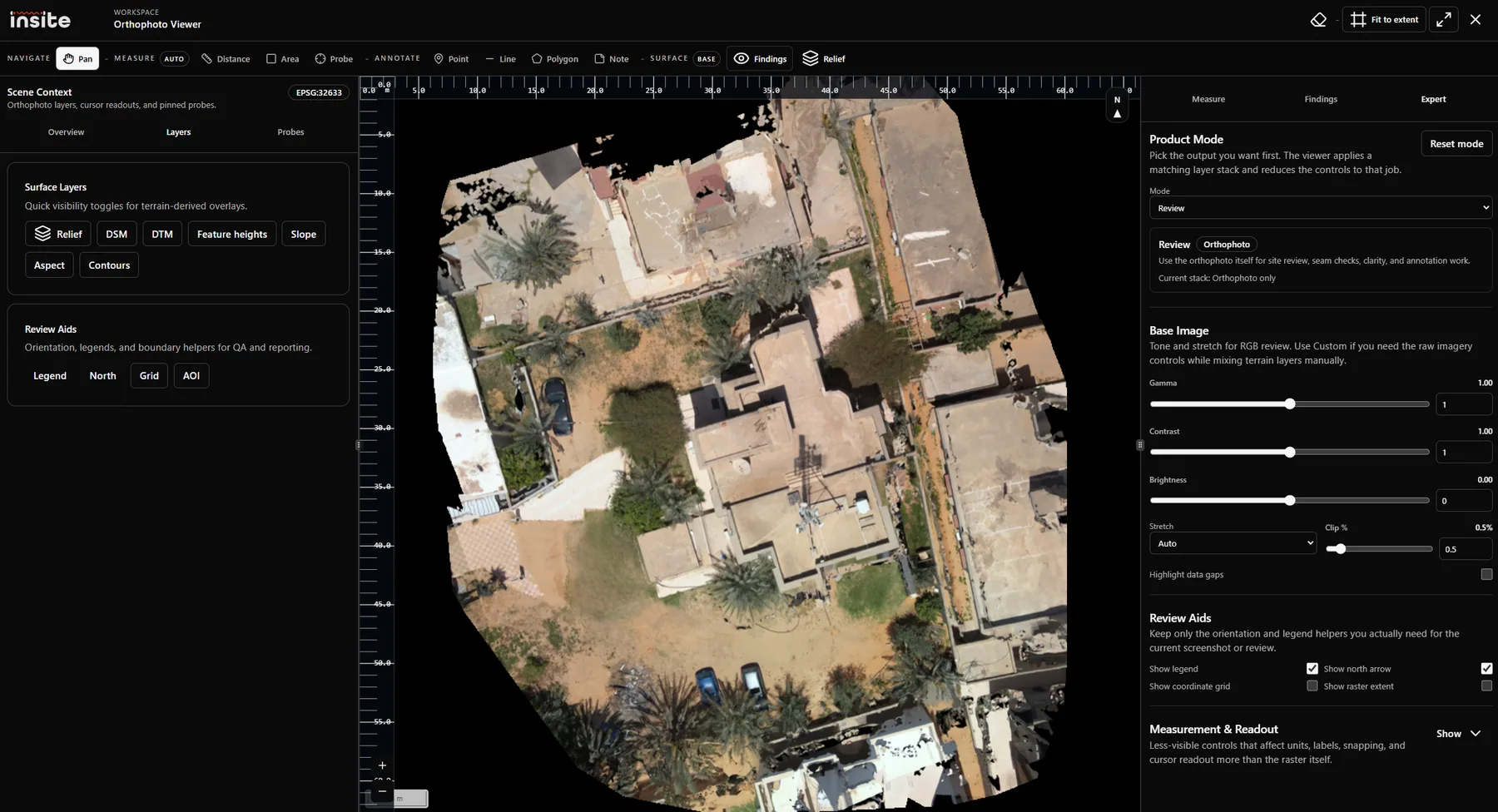
COGs, DSM, DTM, hillshade, ground bands, raised features, geospatial annotations, and probes.
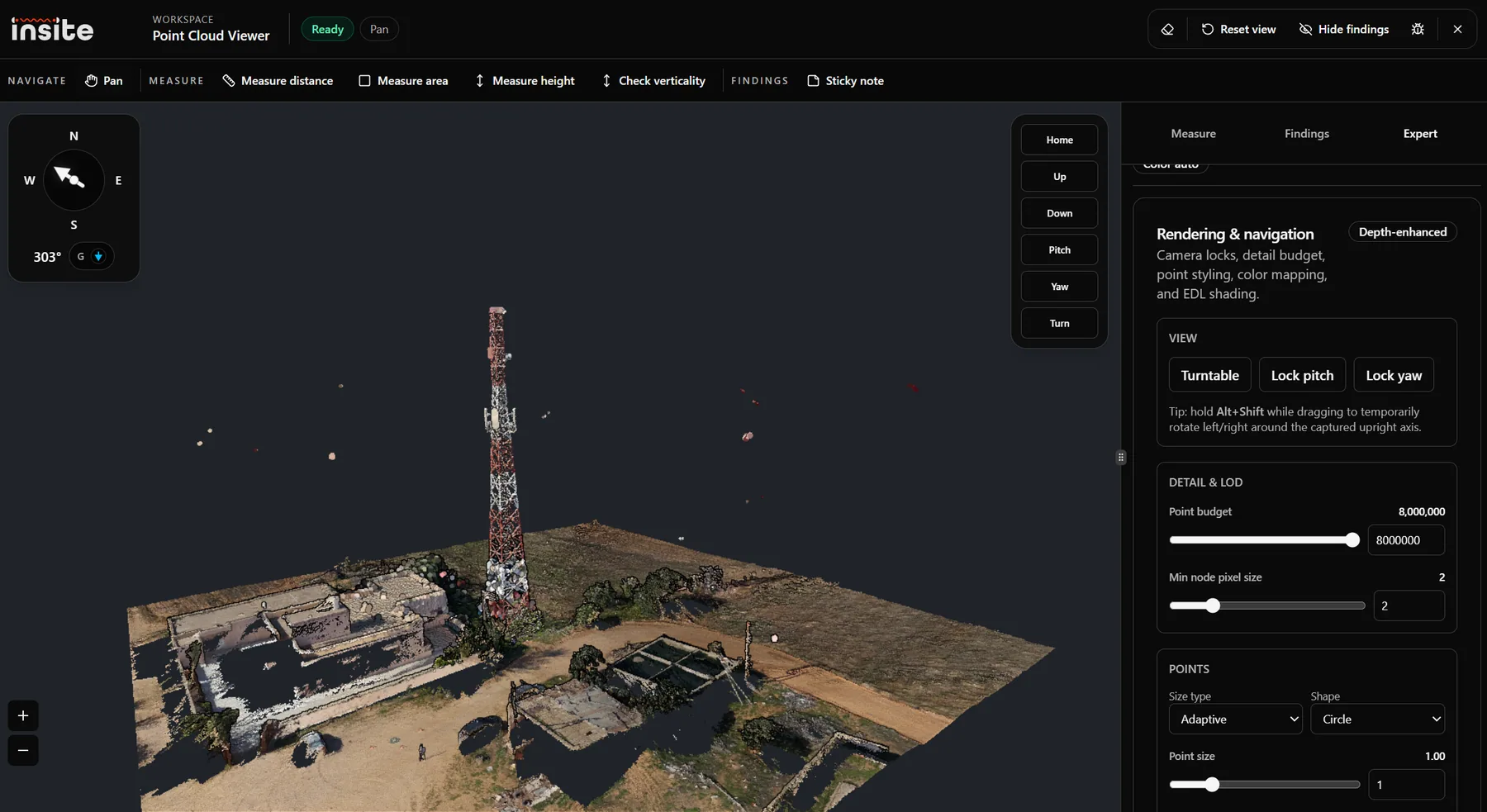
LAS/LAZ uploads, Potree conversion, 3D measurements, verticality, rendering, and correction geometry.
Start with the product model, common use cases, and the first asset-to-mission setup path.
Learn how InSite turns drone evidence into traceable inspection decisions, mission records, maps, 3D views, findings, and reports.
Common inspection, engineering, operations, and reporting use cases for InSite across drone evidence workflows.
Step-by-step guide to creating the site asset and mission record that will hold inspection evidence and reports.